
Conversion instructions below
How to convert ZIP to ZED file?
-
Select your ZIP file To select the ZIP file, you have two options:
-
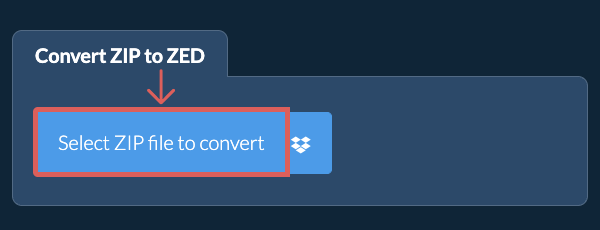
Click "Select ZIP file to convert" to open the file chooser
- Drag and drop the ZIP file directly onto ezyZip
Click "Select ZIP file to convert" to open the file chooser -
-
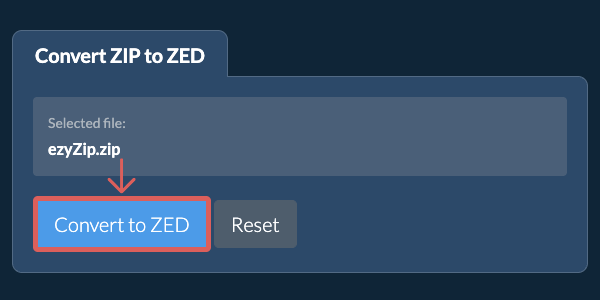
Convert the archiveClick "Convert to ZED". It will initiate the conversion.
-
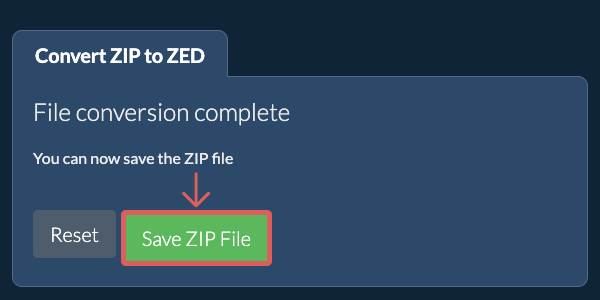
Save the converted fileClick "Save ZED File" to save it to your local drive.
More how-to guides
-
Click the Dropbox iconClick on the Dropbox logo () in the ZIP file selector button.

-
Authorise and pick filesThe Dropbox file chooser will appear. You will need to authorise access to ezyZip the first time.
-
Run the conversionOnce it completes downloading ZIP file to your browser, click "Convert to ZED"
-
Save back to DropboxTo save the converted file to Dropbox, click "Dropbox" dropdown under the "Save ZED File" button. You will need to authorise access to ezyZip the first time.
The converted ZED file will be saved into Apps/ezyZip folder.
Frequently asked questions
ezyZip is an online tool that supports any OS that can run a modern browser. We have tested it to work with Windows, MacOS, Linux (e.g. Ubuntu, Mint, Debian), Android, ChromeOS (Chromebook), iOS (iPhone, iPad & iPod Touch).
We are continuously updating the system, so ensure you are using the latest version of one of the popular browsers or their variants. (e.g. Chrome, Firefox, Safari, Opera).
Please let us know via the feedback form if you have any issues.
We are continuously updating the system, so ensure you are using the latest version of one of the popular browsers or their variants. (e.g. Chrome, Firefox, Safari, Opera).
Please let us know via the feedback form if you have any issues.
ezyZip is a free web app for converting zip to a ZED file, enabling it to be opened with a standard file extractor (present in most operating systems). No need to install additional software as it runs in the browser. It supports a bunch of other file extraction and file conversion options too.
Unlike other online zip conversion utilities, ezyZip does not require you to upload or download files to a server. It runs locally as a browser app, thus making it much quicker than other similar online conversion tools. There are no usage limits! This also ensures your privacy will be protected as no file data will leave your browser. All common file compression formats (and mos tuncommon) are supported.
ZED files are compressed archives used by various applications for data storage and distribution. They employ compression techniques to reduce file sizes and can contain multiple files with directory structures. The format is designed for efficient storage and quick access to archived content.
Use this tool to extract ZED archives and access their contents.
Use this tool to extract ZED archives and access their contents.