
Conversion instructions below
How to convert WEBARCHIVE to ZIP file?
Here are the steps to convert WEBARCHIVE to ZIP archive using ezyZip.
-
Select files to convert To select the WEBARCHIVE file, you have two options:
-
Click "Select WEBARCHIVE file to convert" to open the file chooser
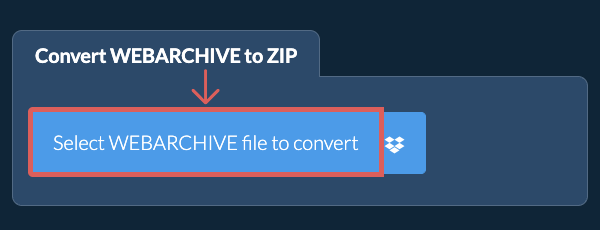
- Drag and drop the WEBARCHIVE file directly onto ezyZip
Click "Select WEBARCHIVE file to convert" to open the file chooser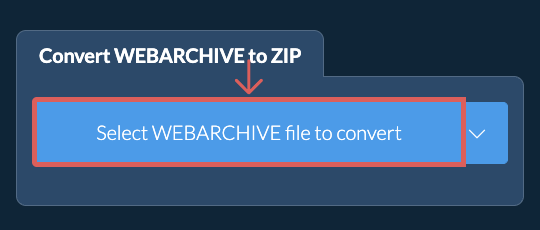
-
-
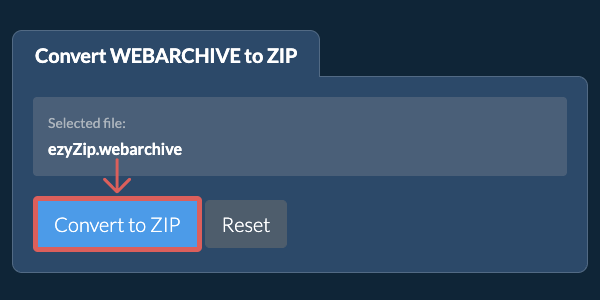
Convert your fileClick "Convert to ZIP". It will start the conversion process which will take some time to complete.
-
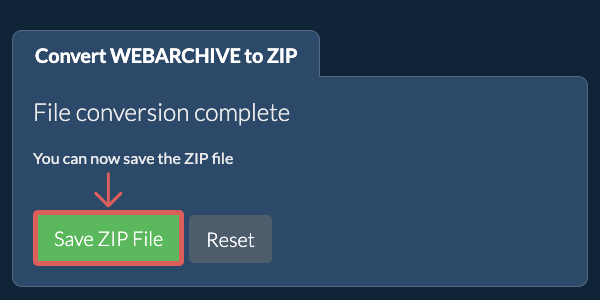
Save the converted fileClick on "Save ZIP File" to save the converted ZIP file to your selected destination folder.
-
Click the Dropbox iconClick on the Dropbox logo () in the WEBARCHIVE file selector button.

-
Authorise and pick filesThe Dropbox file chooser will appear. You will need to authorise access to ezyZip the first time.
-
Files appear in the listingOnce you have selected the WEBARCHIVE file, it will download it to your browser and initiate the conversion.
-
Save back to DropboxTo save the converted ZIP file to Dropbox, click on "Dropbox" dropdown under the "Save ZIP File" button. This will require authorisation the first time you run it.
The file will be stored in /Apps/ezyZip folder.
Frequently asked questions
We are continuously updating the system, so ensure you are using the latest version of one of the popular browsers or their variants. (e.g. Chrome, Firefox, Safari, Opera).
Please let us know via the feedback form if you have any issues.
ezyZip is a free online WEBARCHIVE to ZIP converter that runs in your browser. No need to install any additional converter software. It supports a myriad of other file conversion options too.
Unlike other online archive conversion utilities, ezyZip does not require uploading files to a server. Use it as many times as you want, completely free. It runs locally as a browser app, thus making it much quicker than other online conversion tools. This also ensures your privacy will be protected as no file data will leave your browser.
Extract WEBARCHIVE files to open saved pages on Windows, Linux or any other computer. This tool saves the page the way other browsers save a complete web page, as an HTML file plus a folder of its resources, and points the page to the saved images and style sheets so it displays offline.
ezyZip processes files directly in your browser. Unlike most online tools, your files are not uploaded to our servers, which means faster processing and better privacy. Take a look at the feature comparison below and we think youll agree that ezyZip is the better choice for your file conversion needs.
| Feature | ezyZip | Other Online Tools |
|---|---|---|
| No Software Installation | Works Directly in Browser | Works Directly in Browser |
| Processing Location | Your Browser (No Upload) | Their Servers (Upload Required) |
| Privacy & Security | 100% Private (Files Never Leave Your Device) | Files Uploaded, Accessible by Others |
| Processing Speed | Fast (No Upload/Download Time) | Slow (Upload + Process + Download) |
| Registration Required | Never | Often Required for Large Files |
| Works Offline | Yes (After Page Load) | No |
| Supported Formats | 350+ Archive Formats | Limited Format Support |
| Cost | 100% Free | Free with Limitations / Paid Tiers |
| Established | Since 2009 (15+ Years) | Recent (May Disappear) |
Why client-side WEBARCHIVE to ZIP conversion is faster and more private
ezyZip converts WEBARCHIVE to ZIP entirely within your browser's WebAssembly runtime. Here is why local conversion outperforms server-based converters:
- Optimal Engine RoutingThe system automatically selects the best decompression and compression engine for each format combination. For large archives, streaming conversion stages data through the Origin Private File System to avoid memory exhaustion while maintaining throughput.
- No Double TransferServer-based converters require uploading the source archive and downloading the converted result — local processing eliminates this double-transfer overhead. For a 1 GB archive on a typical connection, this saves 30+ minutes of transfer time alone.
- Single-Pass TranscodingDecompression and re-encoding happen in a single pipeline within WASM, avoiding intermediate temporary files. The input format is decoded and the output format is encoded in one continuous pass, minimizing disk writes and processing time.